
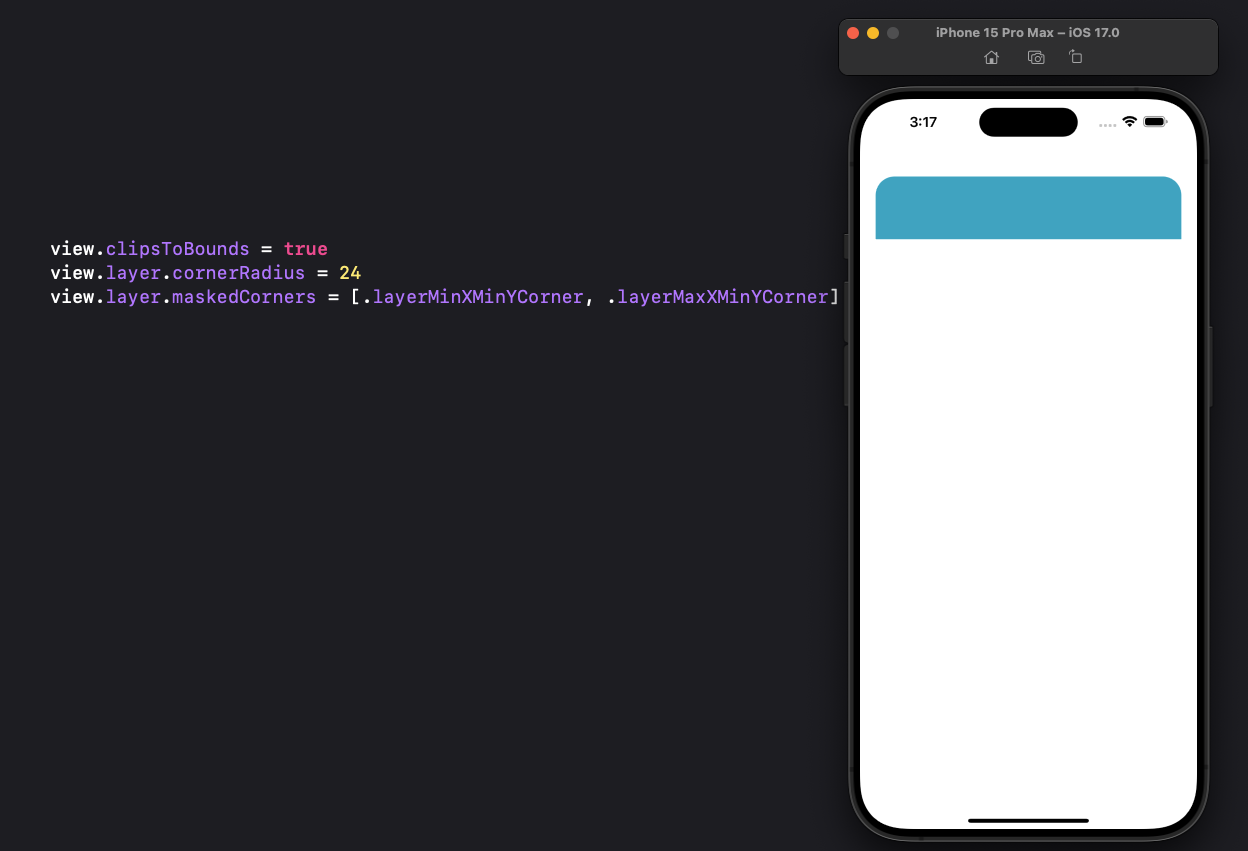
In UIKIt, CACornerMask allows you to define which of the four corners of a view receives masking when using the cornerRadius property.
Available in iOS 11+
Usage
view.clipsToBounds = true
view.layer.cornerRadius = 24
view.layer.maskedCorners = [.layerMinXMinYCorner, .layerMaxXMinYCorner]
Extension on CACornerMask for readability
If you’re looking for better readability in defining a specific corner you can use this extension below. Then, for example, instead of writing .layerMinXMinYCorner to define a corner radius at the top left of your view, you can write a more memorable and easier-to-understand .topLeft property.
extension CACornerMask {
    static var topLeft: CACornerMask = .layerMinXMinYCorner
    static var bottomLeft: CACornerMask = .layerMinXMaxYCorner
    static var bottomRight: CACornerMask = .layerMaxXMaxYCorner
    static var topRight: CACornerMask = .layerMaxXMinYCorner
}

// Usage
view.layer.maskedCorners = [.topLeft, .topRight]
 alexpaul.dev