
Today, our focus at The Times was dedicated to a global learning day for our mission. I’ve delayed delving into ChatGPT’s API, but after watching Andrew Ng’s “Generative AI for Everyone” course, I took a detour during his Python-based ChatGPT demonstration. As an iOS developer, I became intrigued by the possibility of testing his query within a SwiftUI app.
Working with the ChatGPT API in iOS
- Create an account on Open AI and locate your API token.
- After successfully creating and configuring the API in Postman, I encountered a quota error, prompting the need to acquire additional credits to enable the API to process requests. To proceed with testing, I purchased $11 worth of credits for my use case.
- Create a URLRequest variable with the necessary parameters to initiate a “POST” request to ChatGPT’s endpoint. The endpoint URL utilized for this operation is the chat completions API endpoint https://api.openai.com/v1/chat/completions.
Python vs Swift Code
This is the snippet of Python code in the “Generative AI For Everyone” course that got me motivated to investigate implementing Open AI’s API in Swift:
import openai
import os

openai.api_key = os.getenv("OPENAI_API_KEY")

def llm_response(prompt):
    response = openai.ChatCompletion.create(
        model='gpt-3.5-turbo',
        messages=[{'role':'user','content':prompt}],
        temperature=0
    )
    return response.choices[0].message['content']

prompt = '''
    Classify the following review
    as having either a positive or
    negative sentiment:

    The banana pudding was really tasty!
'''

response = llm_response(prompt)
print(response)
A snippet of my Swift code in creating this demo app, here we have successfully gotten back data from the Open AI request and it is being parsed and returns the LLM response:
private func parseLLMResponse(_ data: Data) -> String {
    var llmResponse = ""
    do {
        let result = try JSONDecoder().decode(LLMResponse.self, from: data)
        llmResponse = result.choices.first?.message.content ?? "No response"
    } catch {
        Logger.fetchingData.debug("Decoding error: \(error)")
    }
    return llmResponse
}
Demo app
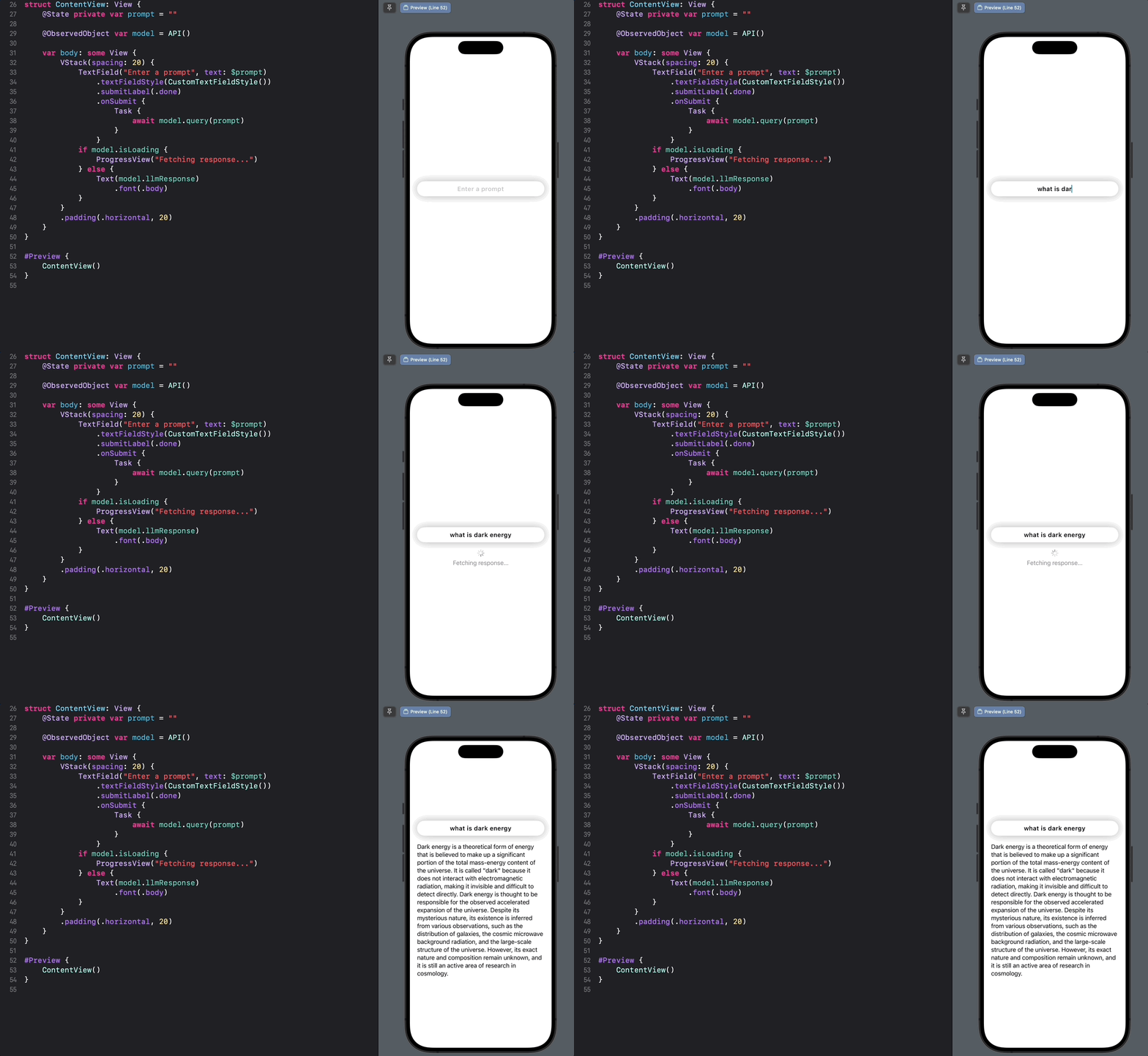
Fun with my kids
Those are the first prompts my kids asked my demo ChatGPT client
From my 11-year-old: What’s the biggest star? ⭐️

From my 7-year-old: How many naps do cats take every day? 🐱

Resources in order of use during building this demo
- Generative AI For Everyone: what started my interest in exploring the Open AI chat endpoint. Specifically during the week 2 session where Andrew Ng goes into demoing the chat API in Python using Jupyter Notebook.
- Open AI Developer Platform
- Open AI API Reference: specifically the making request section.
- Postman: a great tool to test API endpoints.
- URLSession: class for handling Network requests in iOS.
- SwiftUI: declarative UI Framework in iOS.
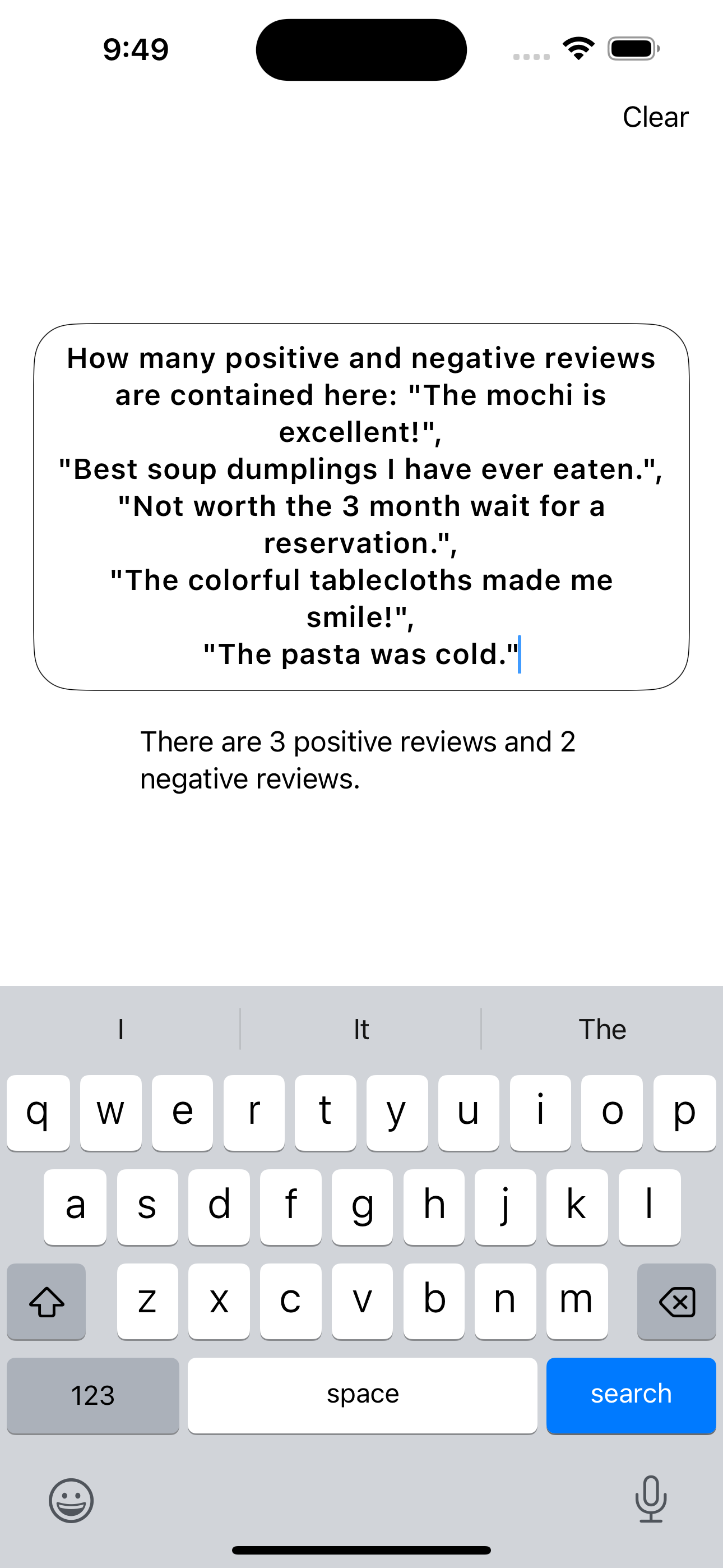
Try this “reputation monitoring” prompt
- Prompt: How many positive and negative reviews are contained here:
- Copy and paste the text below after the colon and run the request.
"The mochi is excellent!",
"Best soup dumplings I have ever eaten.",
"Not worth the 3 month wait for a reservation.",
"The colorful tablecloths made me smile!",
"The pasta was cold."
Output:
Next steps
Keep exploring other capabilities from Open AI such as image capabilities and vision.
 alexpaul.dev