
Apple docs: You can use sysdiagnose to research general iOS and iPadOS issues before you troubleshoot or report them to AppleCare.
Sysdiagnose extracts information from iPhone and iPad devices and captures it in a log file. You or AppleCare can then read the file to understand software or network issues. You can also use sysdiagnose log files to troubleshoot issues when you don’t have access to the iPhone or iPad device.
Steps
- Settings >> Accessibility >> Touch.
- Turn on AssistiveTouch.
- Ensure Analytics is selected via Customize Top Level Menu.
- Go back and reproduce your bug.
- Click on the AssistiveTouch button on your iOS device’s screen.
- Click on Analytics.
- After ~ 10 minutes the Sysdiagnose should be ready to download.
- Navigate to Settings >> Privacy & Security >> Analytics & Improvements >> Analytics Data.
- The Data is arranged alphabetically so search for the date and time that you logged the event.
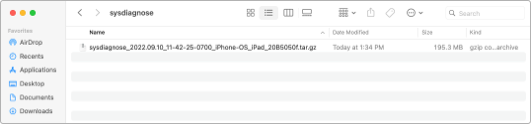
- You can now Airdrop to your mac to submit to Apple.
A useful file to look into if debugging is system_logs.logarchive and search by example, process:storekitd:
 alexpaul.dev