
Figma
Create your animation in Figma and preview the prototype. Once finalized, export it to LottieFiles using the LottieFiles Figma plugin.
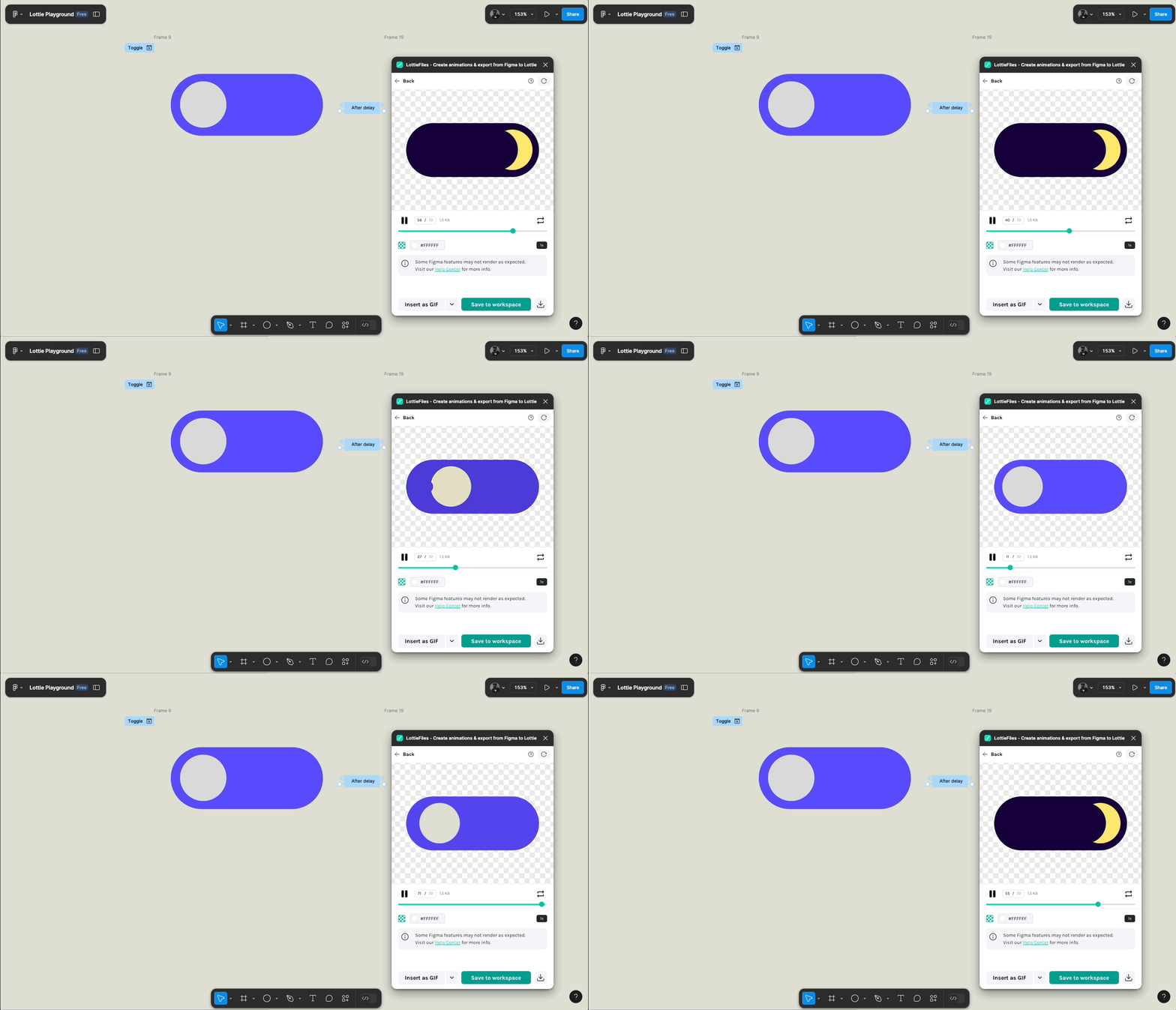

LottieFiles
You can now view and download your Lottie JSON or other formatted types (GIF, MP4, WebM, MOV, dotLottie) for development.

iOS
In iOS, the Lottie Swift package is used to render the animation. As seen in the code below we can also control which frame we render in code as seen in using this Lottie toggle.

Notes
- Ensure frames all have the same elements or the LottieFile will break. If you need to you can hide an element.
- Keeping the aspect ratio of a circle: shift and drag.
- Selecting multiple Frames: shift, click.
Format sizes for the created Toggle asset in this post
- dotLottie: 1KB
- Lottie JSON: 13 KB
- GIF: 31 KB
dotLottie file comparison to Lottie JSON
dotLottie uses an alternate compression method, allowing for considerably smaller animation files compared to JSON. This is especially effective as an alternative to inlining image assets as Data URIs. Additionally, dotLottie can package multiple animations into a single file, further reducing the operational costs of distribution and bandwidth utilization. Further reading
Code for rendering and interacting with Lottie JSON in iOS
import Lottie
import SwiftUI

struct ContentView: View {
    @State private var isDark = false

    var body: some View {
        VStack {
            Button {
                withAnimation {
                    isDark.toggle()
                }
            } label: {
                LottieView(animation: .named("Toggle"))
                    .currentFrame(isDark ? 40 : 0)
            }
            .buttonStyle(.plain)
        }
        .frame(maxWidth: .infinity, maxHeight: .infinity)
        .background(
            isDark ? .black : .white
        )
    }
}

#Preview {
    ContentView()
}
Code for rendering and interacting with dotLottie in iOS
import Lottie
import SwiftUI

struct ContentView: View {
    @State private var isDark = false

    var body: some View {
        VStack {
            Button {
                withAnimation {
                    isDark.toggle()
                }
            } label: {
                LottieView {
                    try await DotLottieFile.named("ToggleDotLottie")
                }
                .currentFrame(isDark ? 40 : 0)
            }
            .buttonStyle(.plain)
        }
        .frame(maxWidth: .infinity, maxHeight: .infinity)
        .background(
            isDark ? .black : .white
        )
    }
}

#Preview {
    ContentView()
}
Resources
- Figma to Lottie: Create Production-Ready Animations with Figma & LottieFiles
- LottieFiles Plugin
- LottieFiles community
- Great LottieFiles Figma file for getting started with great design inspirations
- I used this Figma file to recreate the Toggle and Slack animation while getting started and in this blog post.
- Getting started with dotLottie
- Airbnb Lottie documentation: LottieAnimationView
- Lottie of iOS Swift Package
 alexpaul.dev