
Apple: In addition to using Apple’s convenient, safe, and secure in-app purchase system, apps on the App Store in the United States that offer in-app purchases can also use the StoreKit External Purchase Link Entitlement (US) to include a link to the developer’s website that informs users of other ways to purchase digital goods or services.
Prerequisite
Apple: If you’re interested in using the StoreKit External Purchase Link Entitlement (US) for your app, get started by submitting the entitlement request form.
- Once, you’ve received an approval email from Apple proceed with this documentation.
Info.plist update
Apple: After you receive an email confirmation that the entitlement has been assigned to your account and you’ve configured the App ID in Certificates, Identifiers & Profiles to support this entitlement, you’ll need to update your Xcode project, entitlements plist file, and Info.plist file to list the entitlement and metadata.
<dict>
	<key>SKExternalPurchaseLink</key>
	<dict>
        <key>us</key>
		<string>https://alexpaul.dev</string>
	</dict>
</dict>
Entitlements update
<dict>
	<key>com.apple.developer.storekit.external-purchase-link</key>
	<true/>
</dict>
Sample code for opening an external purchase link
Below is a code snippet for using StoreKit’s ExternalPurchaseLink
if AppStore.canMakePayments {
    Task {
        do {
            try await ExternalPurchaseLink.open()
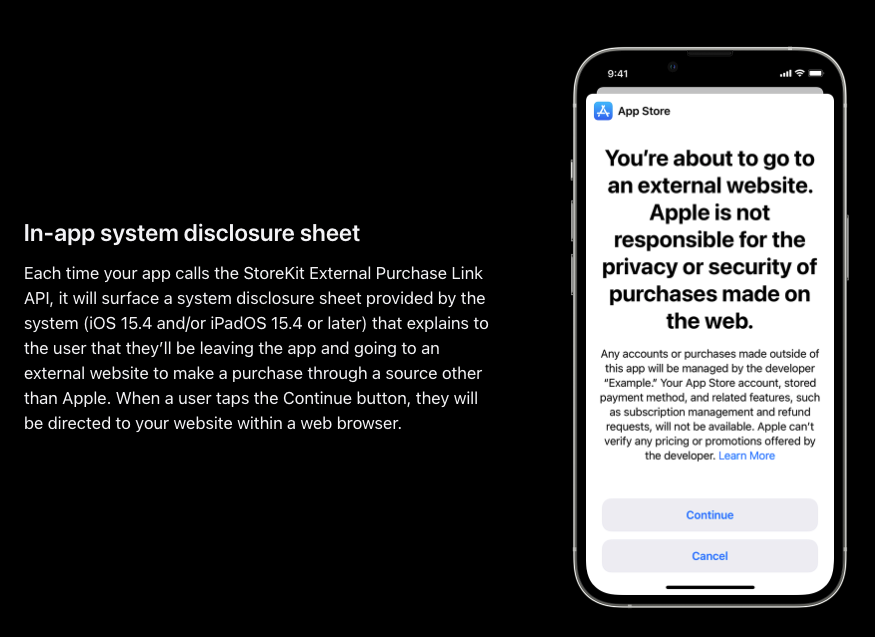
            // Presents a continuation sheet that enables people to choose whether your app shows its link for external purchases.

        } catch {
            print("ExternalPurchaseLink failed with error: \(error)")
            // ExternalPurchaseLink failed with error: notEntitled
            // You will receive the error above if you do not have
            // the required external purchase link entitlement
        }
    }
}
Code above does the following:
- Checks whether the user is authorize to make a purchase.
- Attempts to open and present the continuation (disclosure) sheet for external purchases.
- Throws an error if the continuation sheet fails to present.
- A typical error here could be that the account does not have the required external purchase entitlement as stated in the prerequisite above.
Possible errors
notAvailableInStorefront: The function isn’t available on devices configured for this storefront.notEntitled: The app doesn’t have the appropriate entitlements to use the functionality.
 alexpaul.dev