
Using Xcode 15.0 Beta (15A5160n)
Apple docs on `SwiftData`: Combining Core Data’s proven persistence technology and Swift’s modern concurrency features, SwiftData enables you to add persistence to your app quickly, with minimal code and no external dependencies. Using modern language features like macros, SwiftData enables you to write code that is fast, efficient, and safe, enabling you to describe the entire model layer (or object graph) for your app. The framework handles storing the underlying model data, and optionally, syncing that data across multiple devices.
SwiftData

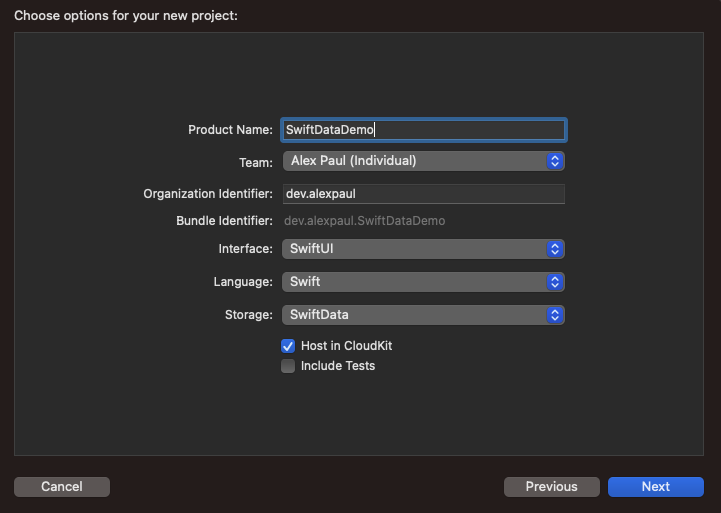
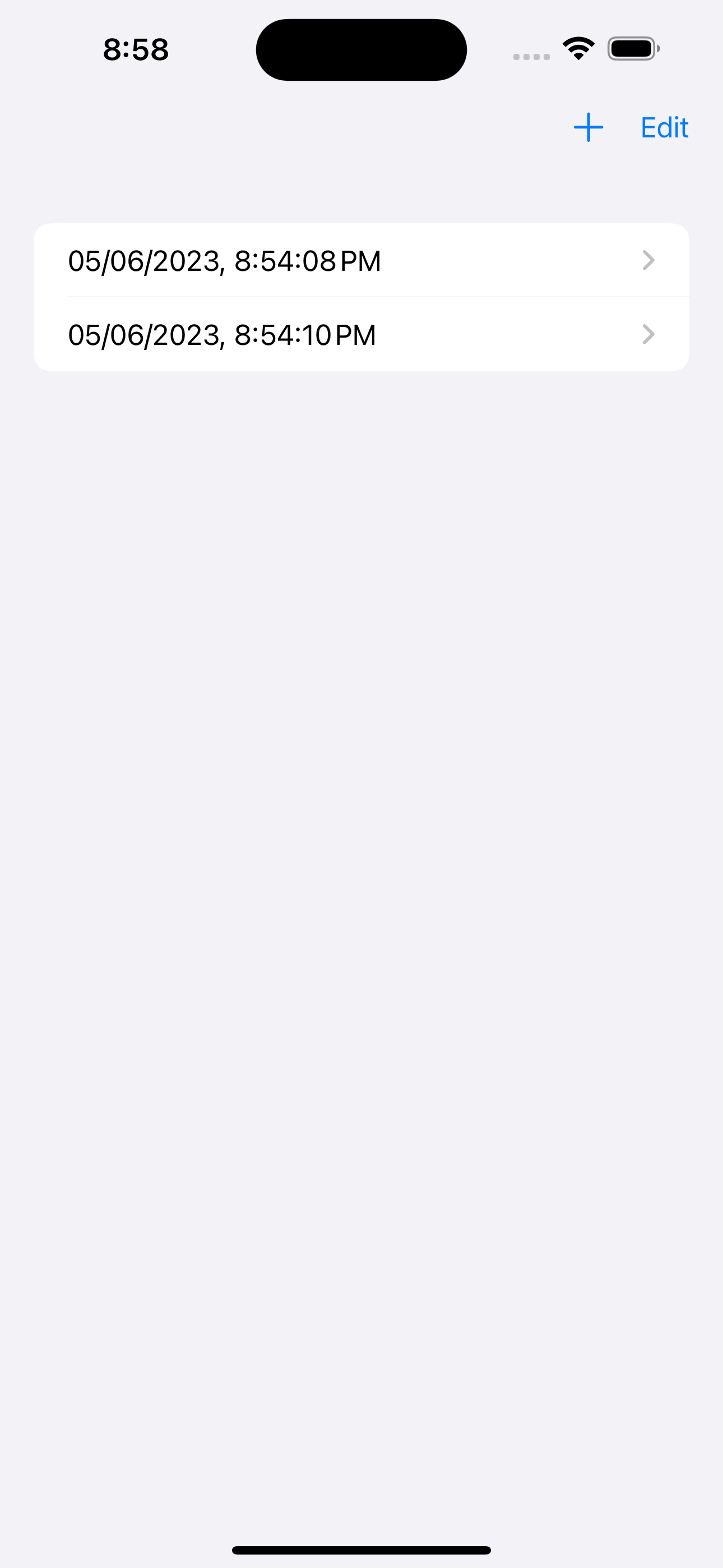
Generated Code
With this generated code we archive persistence out of the box with SwiftData.
//
//  ContentView.swift
//  SwiftDataDemo
//
//  Created by Alex Paul on 6/5/23.
//

import SwiftUI
import SwiftData

struct ContentView: View {
    @Environment(\.modelContext) private var modelContext
    @Query private var items: [Item]

    var body: some View {
        NavigationView {
            List {
                ForEach(items) { item in
                    NavigationLink {
                        Text("Item at \(item.timestamp, format: Date.FormatStyle(date: .numeric, time: .standard))")
                    } label: {
                        Text(item.timestamp, format: Date.FormatStyle(date: .numeric, time: .standard))
                    }
                }
                .onDelete(perform: deleteItems)
            }
            .toolbar {
                ToolbarItem(placement: .navigationBarTrailing) {
                    EditButton()
                }
                ToolbarItem {
                    Button(action: addItem) {
                        Label("Add Item", systemImage: "plus")
                    }
                }
            }
            Text("Select an item")
        }
    }

    private func addItem() {
        withAnimation {
            let newItem = Item(timestamp: Date())
            modelContext.insert(newItem)
        }
    }

    private func deleteItems(offsets: IndexSet) {
        withAnimation {
            for index in offsets {
                modelContext.delete(items[index])
            }
        }
    }
}

#Preview {
    ContentView()
        .modelContainer(for: Item.self, inMemory: true)
}
Resources
- Apple docs: SwiftData
- Demo Github project

